
Introduction To Services
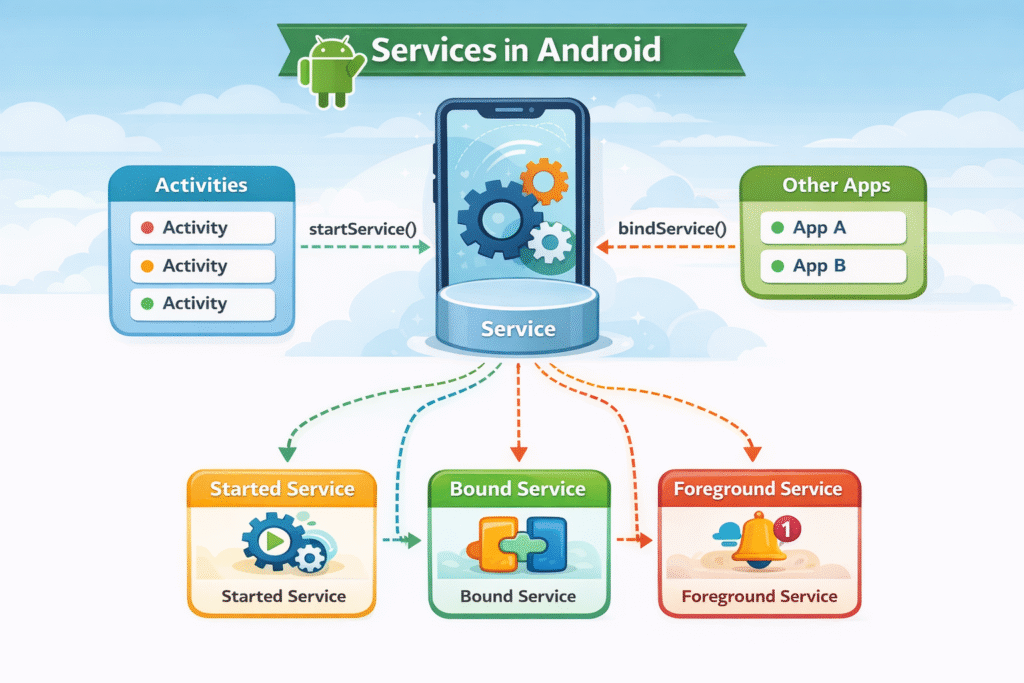
A Service is an application component that can perform long-running operations in the background. A service does not provide a user interface.
Services do their work even user is not on the application. So services are used for such task which requires continuous processing.
Once a services started, it might continue running for some time, even after the user switches to another application.
The main purpose of services it to handle background operations like- play the music , download data, send notification, or track location etc.
Key Insight
A Service runs on the Main Thread (UI Thread) of the application by default. It does NOT automatically run on a separate background thread. If you need to perform heavy operations like network calls or file I/O, you must manually create a new Thread or use AsyncTask / Coroutines / WorkManager inside the service.
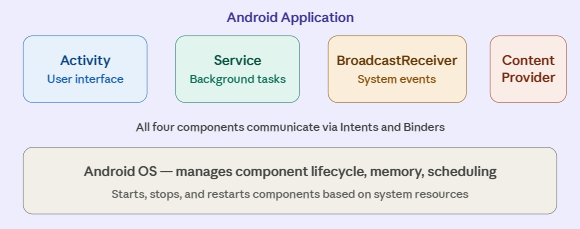
Position of Service in Android Architecture
Why Are Android Services Needed?
Music Player:
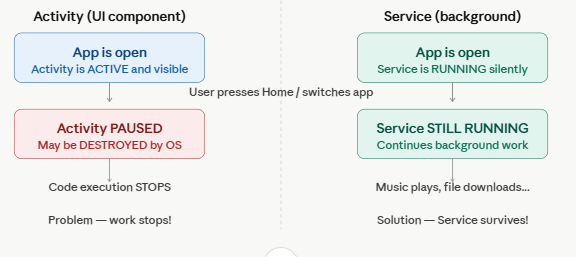
You want music to keep playing when you switch apps. An Activity cannot survive, but a Service can.
File Download:
Downloading a large file should continue even if you close the browser app. A Service handles this.
GPS Tracking:
Navigation apps must track your location even when the map screen is not visible. Foreground Service does this.
Step Counter:
Fitness apps count your steps all day even when you don’t open the app — using a persistent Service.
Types of Android Services-
Started Service (Unbound Service)-
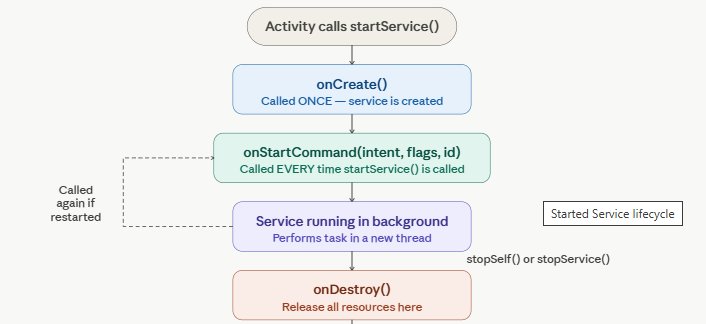
A Started Service is a service that is launched by an Activity by calling the startService(Intent) method.
Once service started, it runs indefinitely in the background — it is completely independent of the component that started it.
Even if the Activity that started the service is destroyed, the service keeps running.
A Started Service is launched with startService(), runs independently in background, and stops only when stopSelf() or stopService() is called.
Bound Service
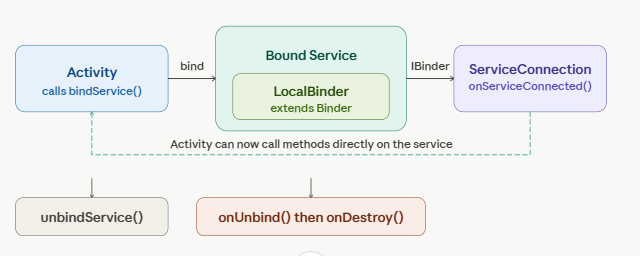
A Bound Service is a service that allows application components (like Activities, Fragments, or even other Services) to interact with it.
Bound Service provides a client-server interface through which components can send requests to the service and receive results back in real time.
A Bound Service is launched with bindService(), provides two-way communication via IBinder, and is automatically destroyed when all clients unbind.
Foreground Service-
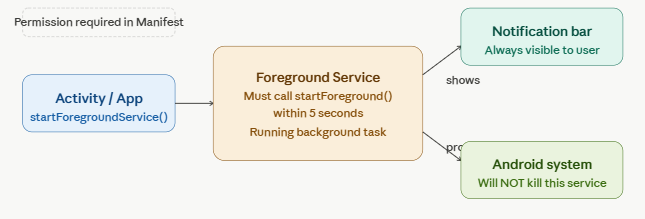
A Foreground Service is a type of service that performs operations that are visible to the user.
It must display a persistent notification in the status bar while it is running. This notification is the proof to the user that something important is happening in the background.
The Android system gives Foreground Services very high priority in memory management. They are almost never killed by the system, even under severe memory pressure.
Advantages of Services
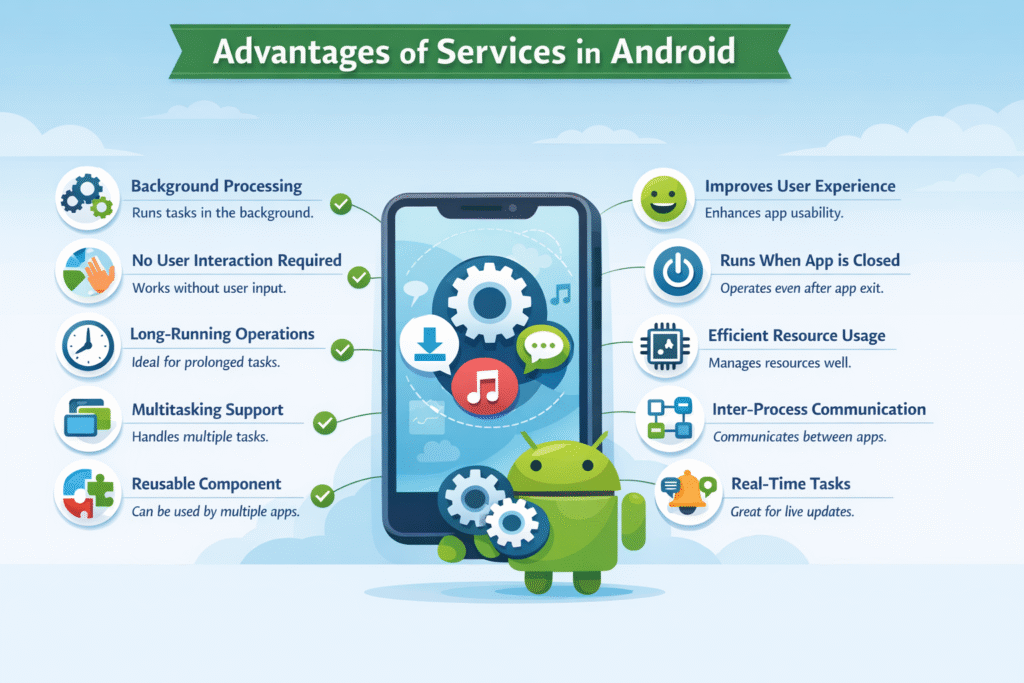
- Runs in the background without a user interface.
- Performs tasks automatically without user involvement.
- Allows multiple processes to run simultaneously.
- Enables communication between different apps.